New Hamaki, Ask questions about your schedule
Because Hamaki lives on your Mac, it can connect directly to local AI tools, without routing anything through the internet.
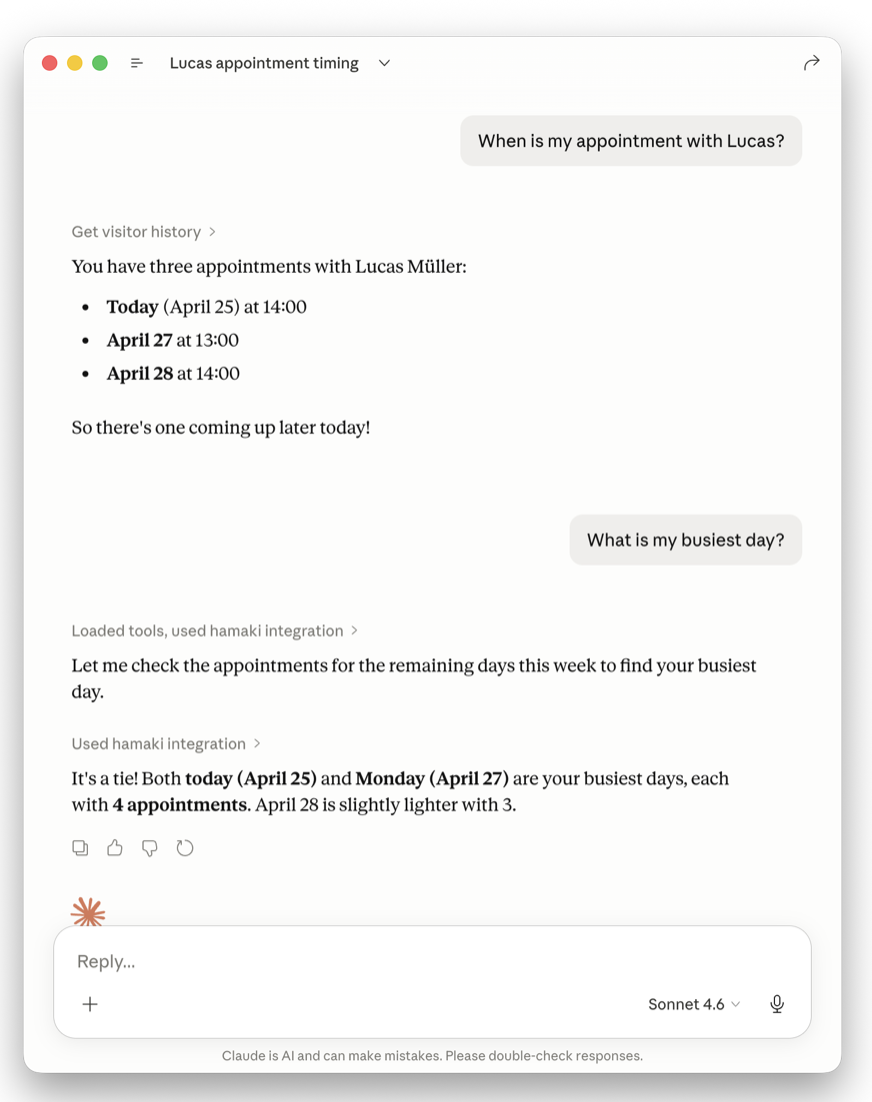
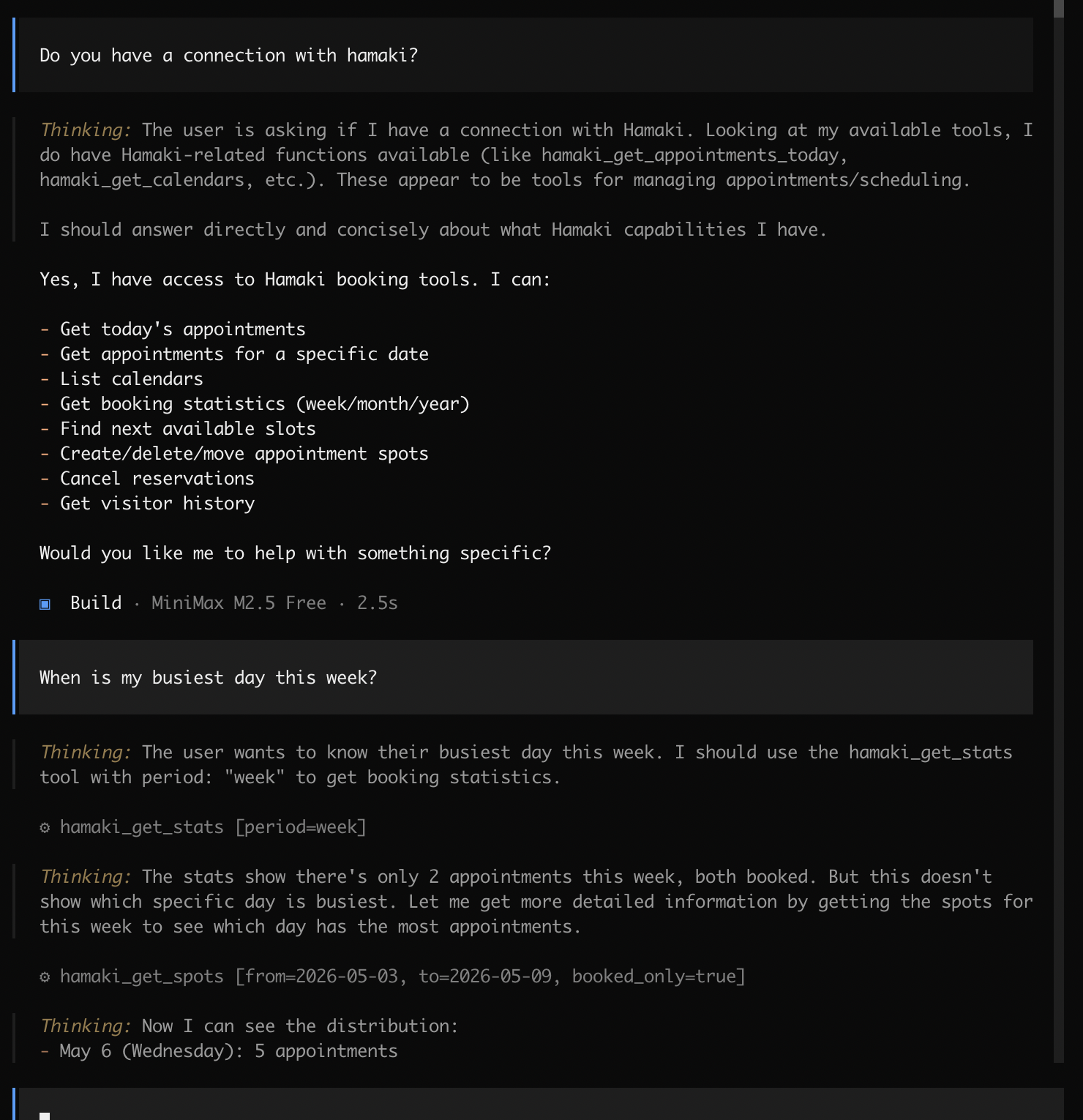
One way to do this is via MCP. MCP (Model Context Protocol) is an open standard that lets AI assistants like Claude talk to local apps and services. When Hamaki’s MCP server is running, you can open Claude Desktop or OpenCode and ask questions about your schedule in plain language. Claude reads straight from Hamaki, on your device, without anything leaving your Mac.
Why this exists
In my own work as a teacher I sometimes want to quickly check which student needs attention, or prepare something before a meeting. Hamaki has all that information: who’s coming in, when I last saw someone, how often they’ve visited. But getting to it meant opening the app and navigating to the right screen.
Being able to just ask is a lot faster. And because the AI reads from Hamaki directly, the answers are always up to date.
What you can ask
Once you’ve connected Claude Desktop or OpenCode to Hamaki, questions like these work out of the box:
- “Who do I have tomorrow?”
- “When is my next free slot?”
- “When did I last see Jan de Vries?”
- “How many appointments have I had this month?”
- “What’s my busiest day of the week?”
With a Pro subscription, Claude can also take action on your schedule:
- “Cancel my 3pm on Friday”
- “Move my Wednesday 2pm to Thursday 3pm”
- “If there are empty spots on Tuesday afternoon, delete them”
How to set it up
- Open Hamaki Settings → AI Integration
- Enable the MCP server
- Select Claude Desktop or OpenCode
- Copy the config snippet Hamaki generates for you
- Paste it into your AI client’s config file (Hamaki shows you exactly where)
- Restart the AI client
That’s it. Hamaki’s tools show up in Claude automatically.
Privacy
The MCP server only listens on 127.0.0.1, your own machine. It’s not reachable from your network or anywhere else. Your calendar data stays on your Mac.
To be extra secure you could connect it to a local model.
 Hamaki
Hamaki is a scheduling app for Mac. Scheduling appointments is a time sink. Hamaki fixes that: share a booking page, let people pick a slot, done. No back-and-forth emails, no sharing your calendar with a cloud service.
Hamaki is a real Mac app. It lives in your menu bar, works with Calendar.app, supports Shortcuts and MCP, and keeps your data on your machine. Your calendar stays yours.
No Calendar.app? No problem. Hamaki can manage its own booking calendars without requiring any calendar permissions.
Hamaki’s MCP server is available from version 2026.2. Enable it in Settings → AI Integration.